

The Latest SignalCalc 900 v3.3 Software Adds New Measurements and Enhancements – Elevating your Test and Measurement Performance
SignalCalc 900 Series v3.3 is here — taking multi-shaker control to another level.
For the entire listing of notable enhancements, download the release notes PDF
Access the Comprehensive 3.3 Release Notes PDF
New Measurements
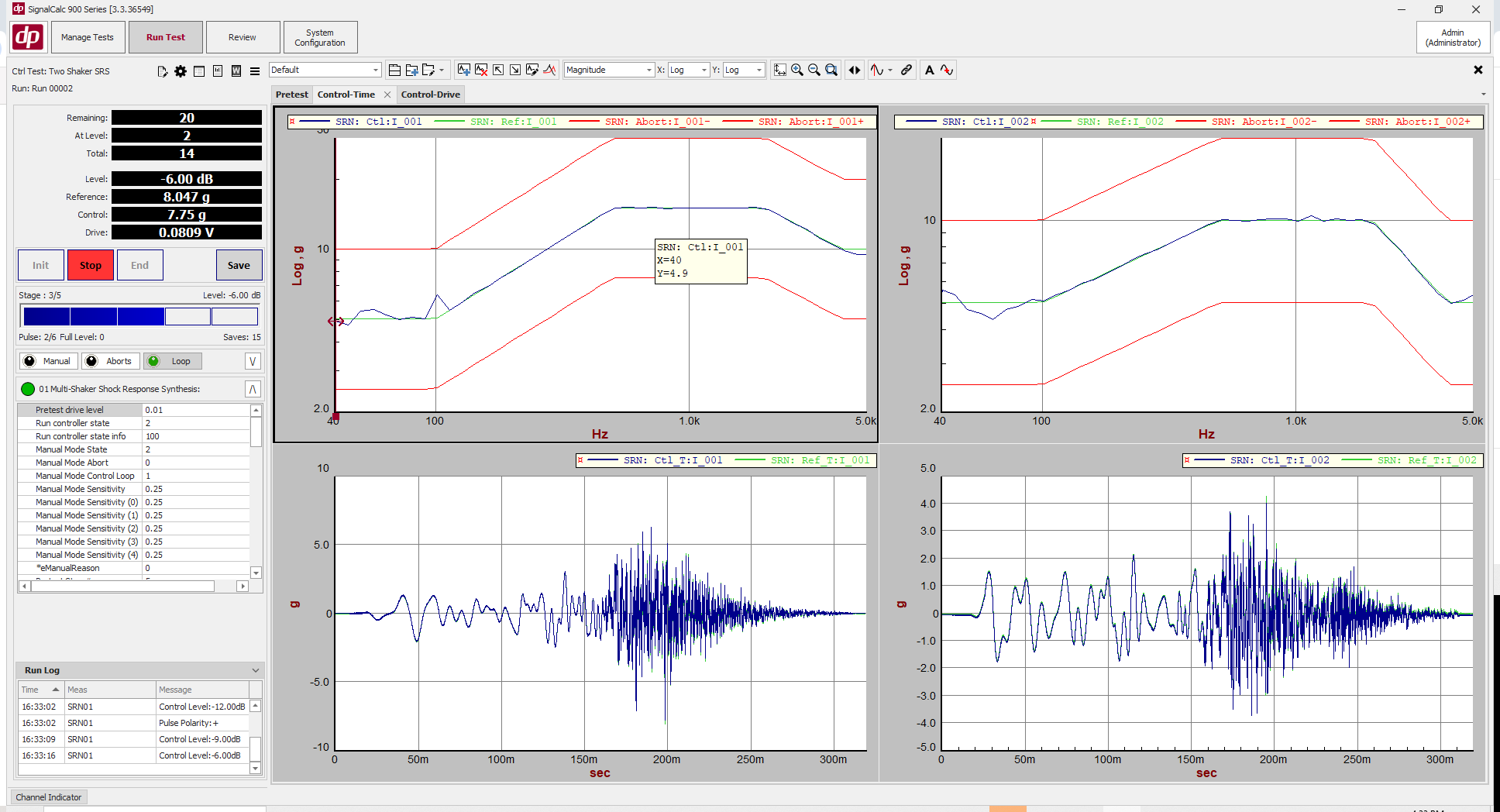
Multi-Shaker Shock Response Spectrum Control
Multi-Shaker SRS Control has been added to the 900 Series software suite. With Multi-Shaker Sine Control, you can control 2-24+ shakers oriented in any configuration.
The Multi-Shaker SRS interface includes the ability to generate waveforms which conform to specific SRS profiles; or to paste in your own damped sine wavelet table to define the shock pulses.
The Multi-Shaker SRS software supports Multi-Shaker single axis or Multi-Shaker Multi-Axis test configurations; and will optimally drive the shaker system regardless of configuration, with advanced algorithms to get the most force out of your test setup.
Multi-Shaker Sine Control
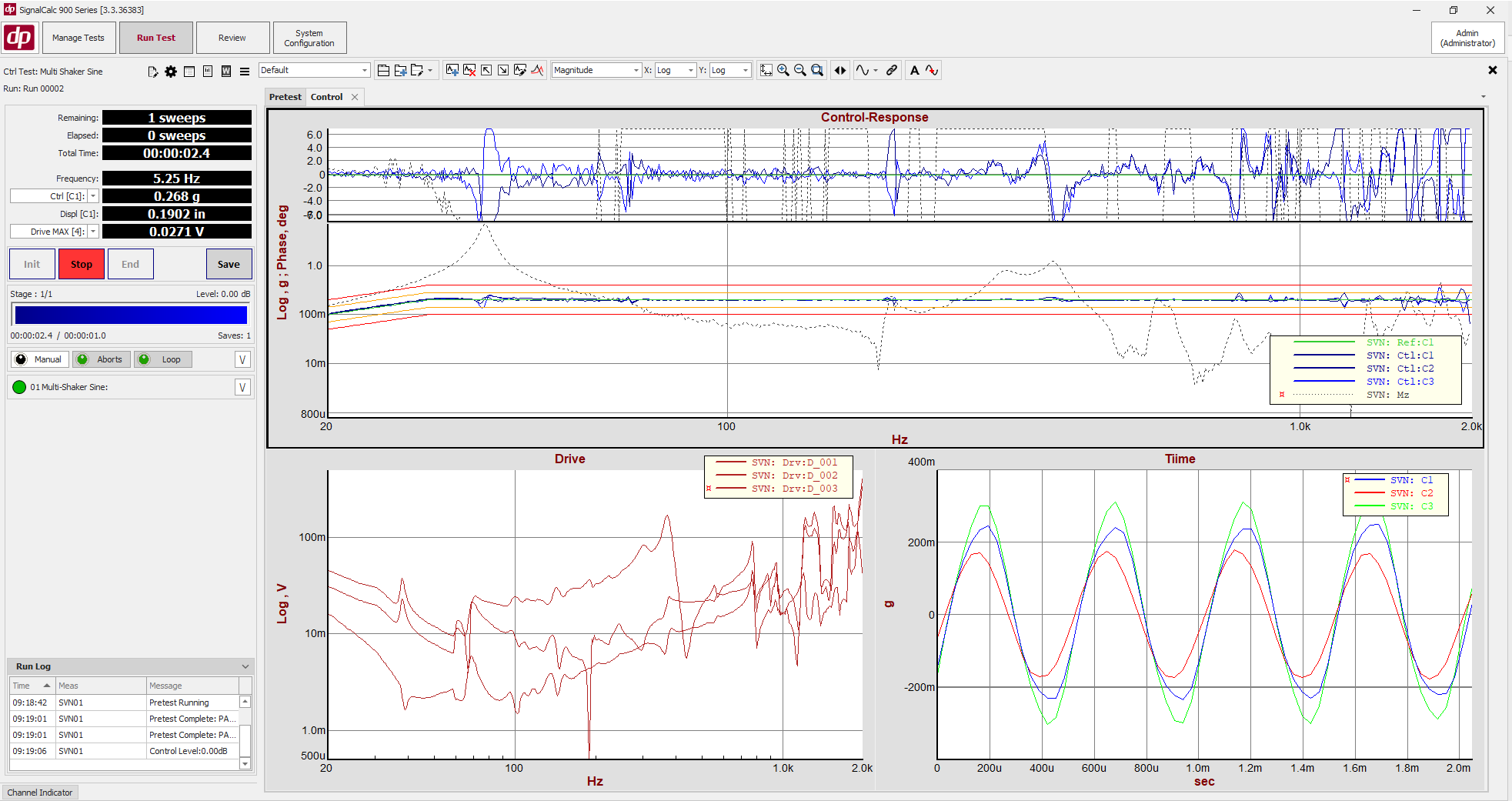
Multi-Shaker Sine Control has been added to the 900 Series software suite. With Multi-Shaker Sine Control, you can control 2-24+ shakers oriented in any configuration.
The shakers can be coupled together (connected to a single slip table or test article); oriented all in one axis; or in a multi-axis configuration. The control software provides the ability to specify a unique Magnitude/phase profile for each control channel; and supports profiles defined in any unit – including translation, rotations, force, or moments.
The module includes realtime notching/limiting, and has the ability to compute angular rotations or summed forces/moments from several channels for use as control or limit channels. The control software includes advanced control algorithms to handle overdetermined or underdetermined control.
Like all modules which run on the 900 Series, the Multi-Shaker Sine Control users can now take advantage of the 900 Series features such as the Database, Math Channels, Strain Conditioning, and Multiple Measurement capabilities as a part of a Multi-Shaker Sine test.
Multi-Shaker Mixed Mode Control
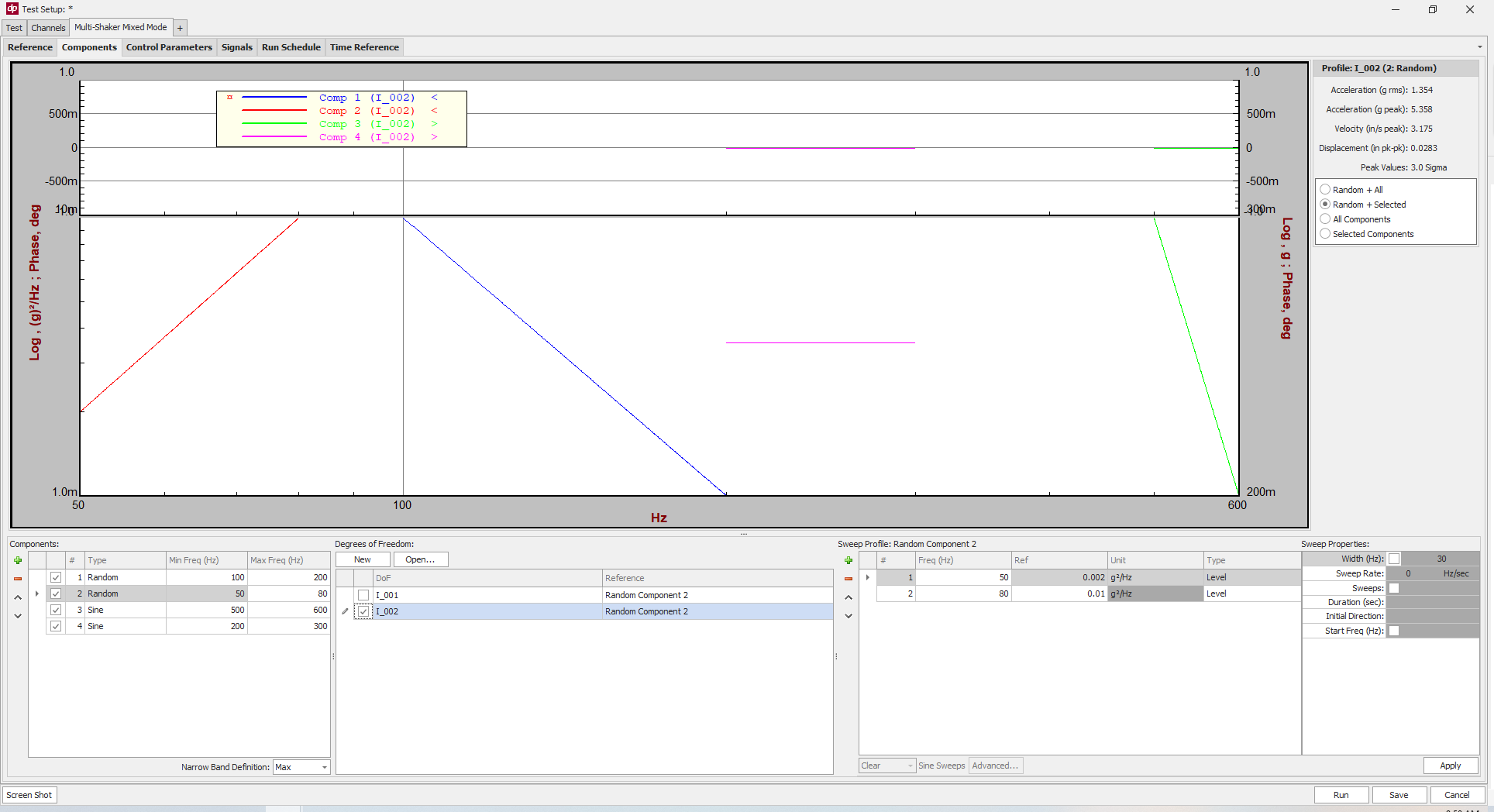
Multi-Shaker Mixed Mode Control has been added to the 900 Series software suite. With Multi-Shaker Mixed Mode Control, you can control 2-24+ shakers oriented in any configuration.
The shakers can be coupled together (connected to a single slip table or test article); oriented all in one axis; or in a multi-axis configuration. The control software provides the ability to specify a Spectral Density Matrix profile for broadband/background noise, and to specify Random/Sine components for each control channel.
The Components can be sweeping or constant-frequency; and each component can be given a different profile on different Control channels. Components and their sweeps can be scheduled in the Run Schedule. The control software includes advanced control algorithms to handle overdetermined or underdetermined control.
Like all modules which run on the 900 Series, the Multi-Shaker Mixed Mode Control users can now take advantage of the 900 Series features such as the Database, Math Channels, Strain Conditioning, and Multiple Measurement.
New Features and Enhancements
1. Batch Import and Export of Test Data and Recordings
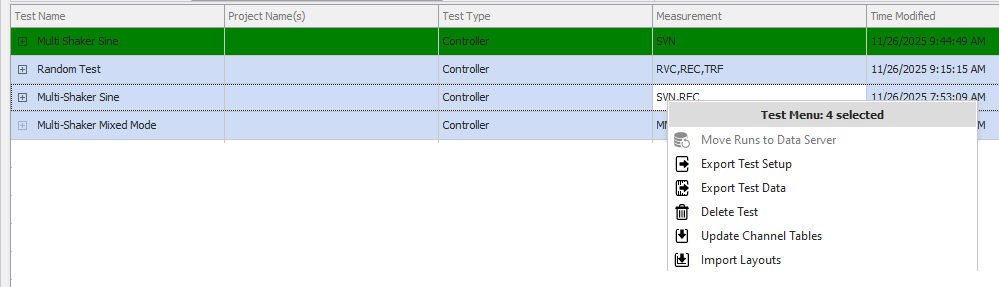
The ability to multi-select tests and recordings in the Manage Tests of SignalCalc 900 has been added. When multiple tests or recordings have been selected, a limited right click menu is displayed; allowing test setups/data to be exported in one click.
Similarly, when importing test data or recordings, multiple data files can be selected and imported at one time.
This greatly simplifies the process of backing up several runs/tests/recordings, and enables easy copying them to a different Data Server or PC.
2. Copy/Paste Channels Table to Several Tests
The ability to update the channels table from one test to several tests at one time has been added to DP900.
This functionality is accessed from Manage Tests, by multi-selecting test setups in Manage Tests; right clicking; and selecting Update Channels Table. A source file is then selected, and all channel settings are copied from the source test setup to all the target setups.
3. Import, Export, and Auto-archiving of Graph Layouts
The ability to export test layouts from a test setup has been added to the 900 Series controller. The test layouts export includes all graph “pages” (tabs), and all signals/plots/settings for the displays on those pages.
The exported layout can then be imported into another test; copying all plot settings to the new test.
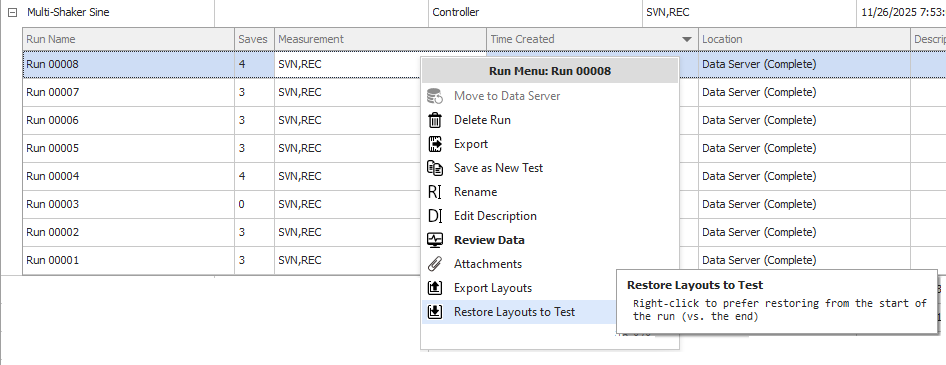
Additionally, the 900 Software now automatically backs up the test layouts twice during a test: on Init; and on End. These back up the layouts as they are at the test Init and End time; and these back-ups can be restored at any point in the future.
This can be useful if the plots in the test are changed in a future Run (or in the Review screen) – and it is desired to restore the plots to what they were at testing time.
The Layout Backup/Restore is accessed through the Manage Tests screen, by right-clicking on the test/run.
4. Additional Functions in the REST interface (REST API)
Several functions have been added to the REST API. These include:
- The ability to specify the Customer during the INIT command
- The ability to specify the Test Article during the INIT command
- The ability to specify Run Notes during the INIT command
- The ability to gather sensors, shakers, customer, and test article information stored in the test database
- The ability to capture the contents of the Cursor readout
5. Channel Indicators Mimic Physical Sensor Configuration
The Channel Indicators now have the ability to mimic the physical configuration of the BNC (or uDB9 for Bridge/Strain cards) layout of the 900 Series Hardware. This makes it simple to identify which channel corresponds to each channel in the Channel Indicator at a glance.
6. Rename Grouped Math Channels
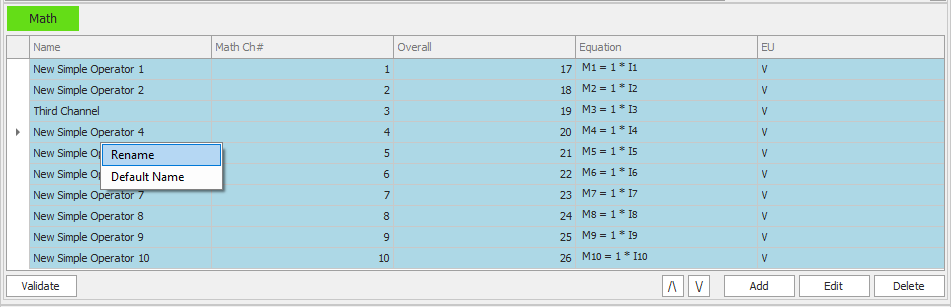
Grouped math channels (eg. creating several new math channels which are the same operator operating on several channels) can now be renamed easily without being ungrouped. This allows the channels to still be modified as a group in the future; but for each channel to have a unique name.
7. Single- and Multi-Shaker Replicator supports multiple chassis tests
Multiple chasses can now be concatenated for a single- or multi- shaker Time History Replication test. Multiple 901, 906, and 912 units can now operate together when running a time history replication test.
Many more improvements, refinements, and bug fixes in the complete release notes.
Try the SignalCalc 900 Series Software for Free
Explore the power of the SignalCalc 900 Series software – with no hardware required. Run simulated tests, review results, and generate reports exactly as you would in a live environment.
Data Acquisition • Signal Analysis • Vibration Control
Vibration Control for Any Shaker
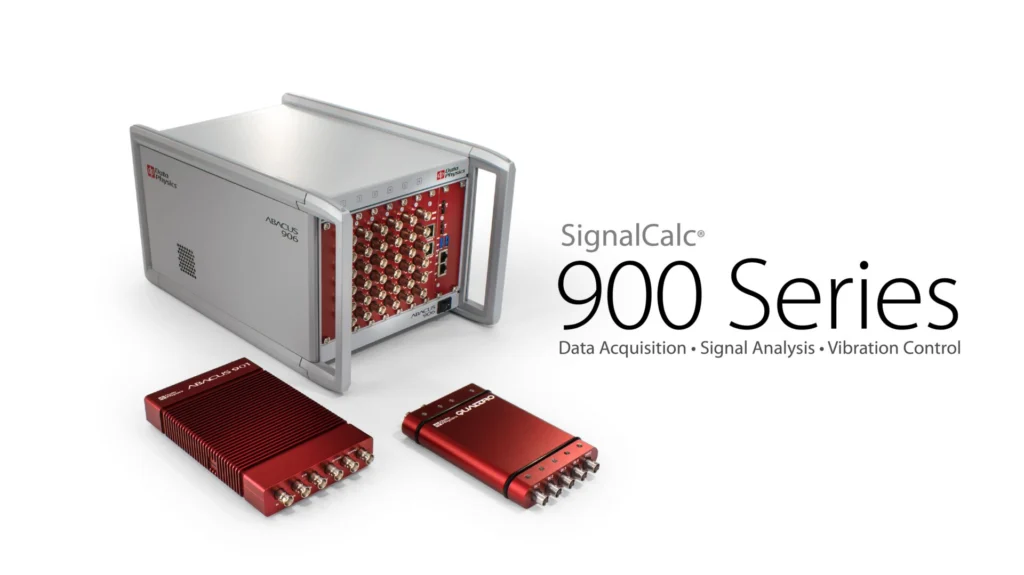
The 900 Series vibration controller can quickly be set up to control any shaker – while the 900 series platform offers advanced features such as auto-aggregation of data from all test stands, custom Word-based reporting, unlimited expandability, concurrent data recording and signal analysis, intrinsic safety, and more.